
Seventh Assignment — JavaFX Music Player Project
This is a starter JavaFX application for a simple Music Player interface. Your goal is to design the UI and connect it to the provided controller logic to create basic music player interactions.
📋 Assignment Objectives
Complete the following features:
1. Design the Music Player UI
Create a layout for a simple music player interface. Your UI should display at least three songs, each containing:
- Song title
- Artist name
- Duration
- A Play button
- An Add to Playlist button
2. Connect UI Components to the Controller
Link your UI elements to the provided MusicController class:
- Connect buttons to their corresponding controller methods.
- Ensure that clicking buttons triggers the correct actions.
3. Display the Currently Playing Song
When a user clicks a Play button:
- Update a label in the UI showing the currently playing song (e.g., "Now Playing: Song Title").
4. Implement a Playlist
When the Add to Playlist button is clicked:
- Add the selected song to a playlist data structure (e.g., an
ArrayList).
5. Create a Playlist Page
Add a "View Playlist" button to the main UI:
- When clicked, switch to a new scene that displays the playlist.
- Use
stage.setScene(...)to switch between scenes. - Show the playlist content using a
ListViewor any other layout.
🎨 UI Design Reference
To help you get started, refer to the layout below. Your application should have a similar, clean, and simple structure:
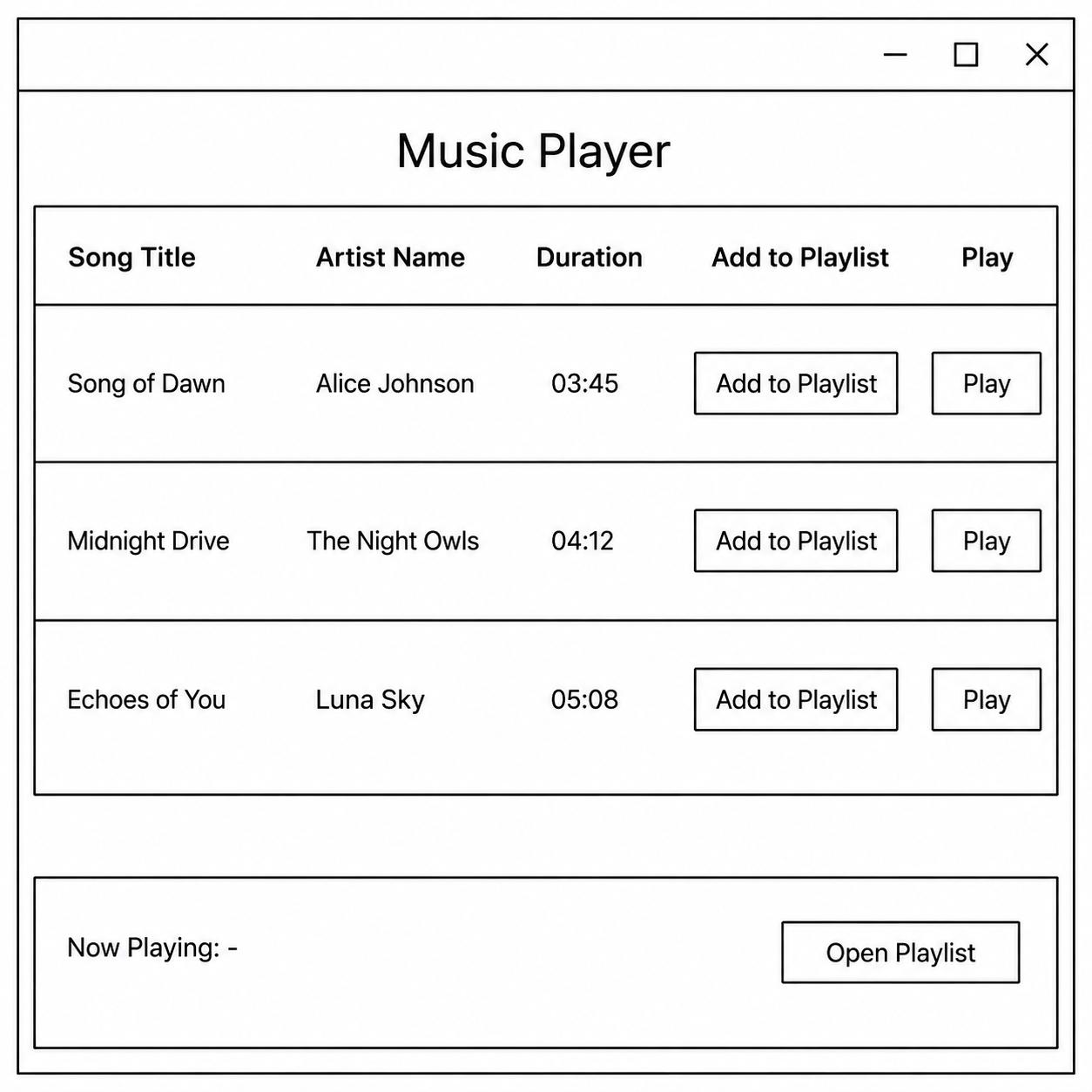
(Note: This is a wireframe. You are encouraged to keep your implementation simple and focus on functionality.)
⭐ Bonus Tasks (Optional)
The core requirements above do not include actual audio playback. The following tasks are optional (Bonus) and should only be attempted if you have completed the core requirements.
1. Play Functionality
- Implement actual audio playback using JavaFX
MediaandMediaPlayerclasses.
2. Add Visual Feedback
- When a song is playing, change the row style or update the Play button text to "Playing".
3. Dark Mode / Light Mode
- Add a toggle button to switch between two CSS stylesheets (e.g.,
dark.cssandlight.css) at runtime.