# 🎵 Music Player
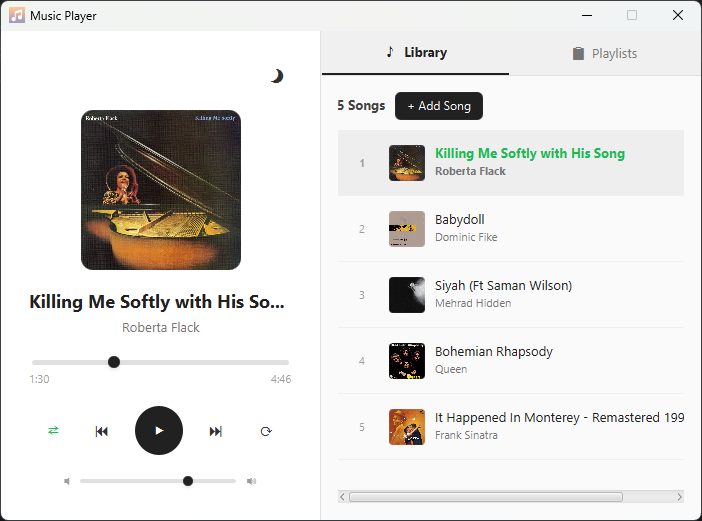
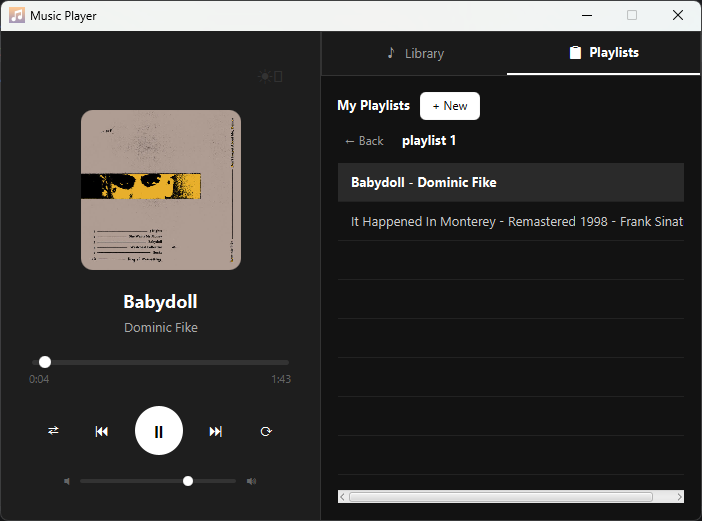
A minimal JavaFX music player with playlist support and dark mode.
---
## Features
- Play, pause, skip, and seek through songs
- Shuffle and repeat modes
- Volume control
- Album art display (loaded from file metadata)
- Library tab — manage all your songs
- Playlists tab — create custom playlists and add songs to them
- Dark mode toggle
- Right-click on any song to add it to a playlist
---
## Project Structure
```
MusicPlayer/
├── src/
│ └── main/
│ ├── java/sbu/javafx/
│ │ ├── MainApp.java
│ │ ├── MusicController.java
│ │ ├── Song.java
│ │ └── Playlist.java
│ └── resources/sbu/javafx/
│ ├── player.fxml
│ └── style.css
└── pom.xml
```
---
## Requirements
- Java 17+
- JavaFX 17+
- JAudioTagger 3.0.1 (for reading song metadata)
---
## Dependencies (pom.xml)
```xml
org.openjfx
javafx-controls
17
org.openjfx
javafx-fxml
17
org.openjfx
javafx-media
17
net.jthink
jaudiotagger
3.0.1
```
---
## How to Run
```bash
mvn clean javafx:run
```
---
## How to Use
### Adding Songs
1. Go to the **Library** tab
2. Click **+ Add Song**
3. Select one or more audio files (mp3, wav, aac, flac)
4. Songs will appear in the library with their metadata
### Playing Songs
- Double-click any song in the library to start playing
- Use the control buttons to play/pause, skip, or go back
- Drag the progress bar to seek
### Playlists
1. Go to the **Playlists** tab
2. Click **+ New** to create a playlist
3. Go back to the Library tab
4. Right-click any song and select **Add to Playlist**
5. Double-click a playlist to open it
6. Double-click a song inside the playlist to play it
### Dark Mode
- Click the 🌙 button on the top right of the player panel to toggle dark mode
---
## Supported Formats
| Format | Supported |
|--------|-----------|
| MP3 | ✅ |
| WAV | ✅ |
| AAC | ✅ |
| FLAC | ✅ |
---
## Preview